
Markup Calculator
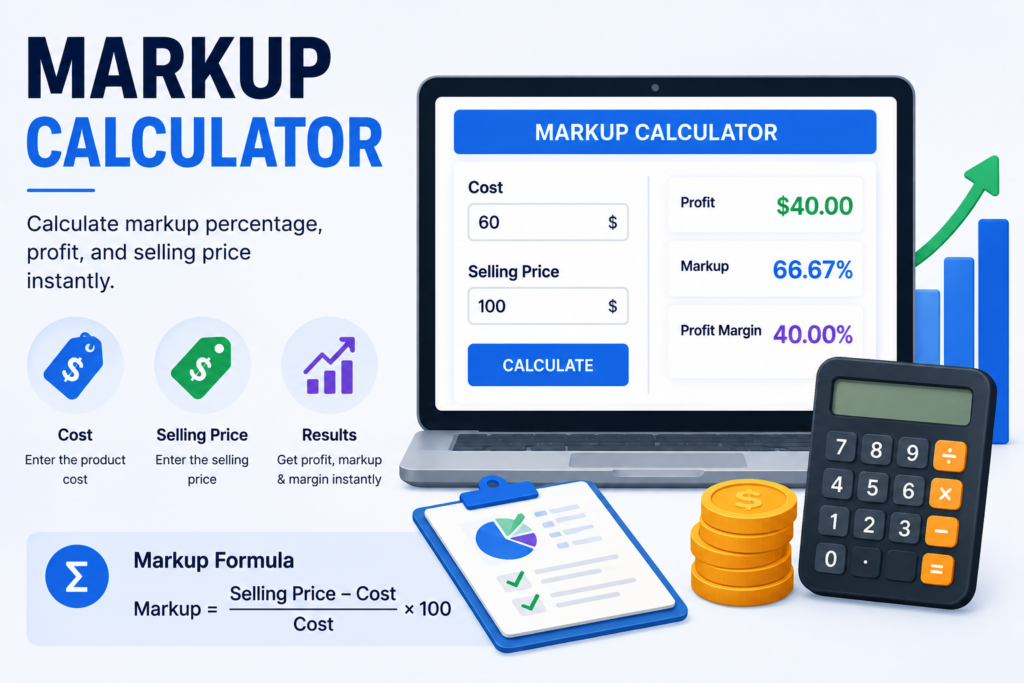
Calculate markup percentage, profit, and selling price instantly.
How to Use the Markup Calculator
Enter the cost of an item and its selling price. The calculator returns the absolute profit, markup percentage and profit margin so you can compare the result from two different pricing perspectives. Use consistent monetary units for both inputs; the percentage calculations are the same whether you enter dollars, euros, pounds or another currency.
Markup Formula Explained
Markup measures profit relative to cost. The formula is Markup % = (Selling Price − Cost) ÷ Cost × 100. If a product costs 80 and sells for 120, profit is 40. Dividing 40 by the cost of 80 gives 0.5, so the markup is 50%. This tells you how much the selling price was increased relative to the original cost.
Markup vs. Profit Margin
Markup and margin describe the same transaction from different reference points. Markup divides profit by cost, while margin divides profit by selling price. With an 80 cost and 120 selling price, markup is 50%, but margin is 33.33%. Confusing these percentages can lead to incorrect pricing decisions, so it is useful to calculate both when setting prices or reviewing profitability.
Practical Examples
If an item costs 60 and sells for 100, profit is 40, markup is 66.67% and margin is 40%. If an item costs 150 and sells for 180, profit is 30, markup is 20% and margin is 16.67%. If the selling price falls below cost, the calculated profit and markup become negative, indicating the item is being sold at a loss.
Where Markup Calculations Are Useful
Markup is commonly used in retail, wholesale, manufacturing, contracting and service pricing. Businesses can use it to create initial selling prices, compare product categories or check whether a discount leaves enough room above cost. It can also be used when evaluating supplier price changes: if cost rises but selling price does not, both markup and margin decline.
Factors That Affect Real Profitability
This calculator compares direct cost with selling price, but real business profit may include more variables. Shipping, payment-processing fees, marketplace commissions, taxes, returns, packaging, labor, storage, advertising and overhead can all reduce the amount retained. For pricing decisions, consider whether the entered cost already includes these expenses or whether they need to be added separately.
Frequently Asked Questions
Is markup the same as margin?
No. Markup is profit divided by cost, while profit margin is profit divided by selling price. The percentages are therefore different even when the underlying profit is the same.
Can markup exceed 100%?
Yes. A markup above 100% means the profit is greater than the original cost. For example, a cost of 40 and selling price of 100 produces a 150% markup.
Can markup be negative?
Yes. When the selling price is below cost, profit is negative and the markup percentage is negative, indicating a loss relative to cost.
Related Tools
Markup vs. Margin
Markup is based on cost, while profit margin is based on selling price. If an item costs 80 and sells for 100, the markup is 25% because profit is compared with the 80 cost, while the margin is 20% because the same 20 profit is compared with the 100 selling price.
Using Markup in Pricing
A target markup can help set an initial selling price, but actual profitability can also depend on discounts, payment fees, shipping, returns, overhead and taxes. Include the costs relevant to your business before treating a markup result as profit.